Chrome Extension
Convert Any Webpage
Convert Any Webpage
to Markdown
Extract and copy content as clean, formatted Markdown with a single click. Perfect for notes, documentation, and AI tools.
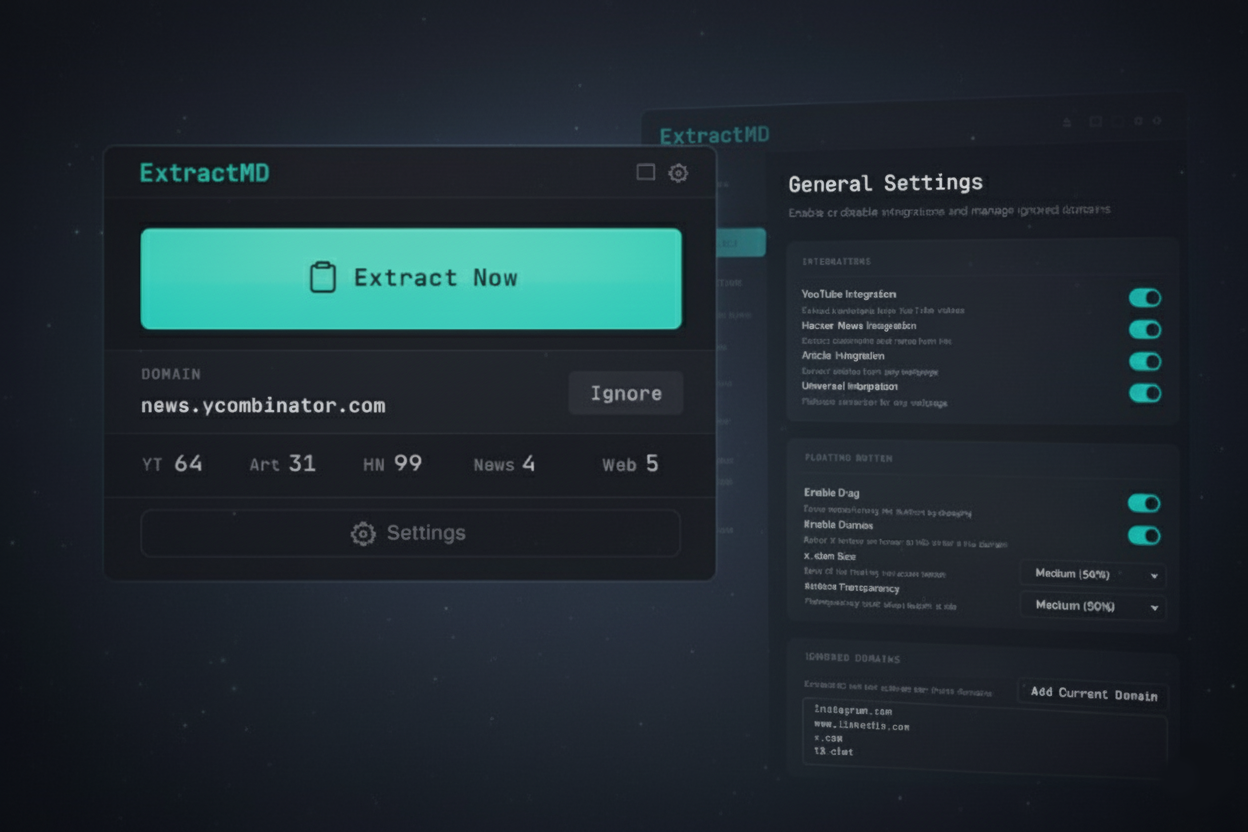
Extract and copy content as clean, formatted Markdown with a single click. Perfect for notes, documentation, and AI tools.
Optimized extractors for popular platforms
Extract full video transcripts with timestamps, video title, channel name, and URL. Smart formatting for easy reading.
Copy news lists with titles, scores, and links. Extract full comment threads with proper formatting.
Extract posts and long-form articles with author metadata, images, video placeholders, quoted posts, and engagement metrics.
Convert any article to clean Markdown. Optionally include images with alt text. Preserves headings, lists, and formatting.
Works on ANY webpage. Auto-detects main content area. Custom CSS selector support for advanced users.
Extract content in three simple steps
Go to any webpage you want to extract
Click the floating ExtractMD button
Markdown is copied to your clipboard
Everything you need for efficient content extraction
A floating button appears on supported pages. Click it, and content is copied to your clipboard.
Press Ctrl+Shift+E (Cmd+Shift+E on Mac) to extract content instantly.
When content exceeds your token limit, it automatically downloads as a .md file.
Theme, button position, per-integration toggles, content selection mode, and more.
Your data never leaves your browser
Install ExtractMD and start copying content as Markdown in seconds.